Game Integration
Once created, getting agents in game is simple.
Agents are accessible through the island build menu, and can be placed and configured directly on an island.
In the screenshot below, there are 2 agents: a user agent (called Agent), and a platform agent (in this case, Virtual's agent Agent YP).
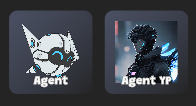
User agents are user created, and user owned. This means that the island owner (i.e. the person placing the agent down) has created the agent and/or has direct access to the URL pointing to the agent's backend.
Platform agents are preconfigured and uneditable, but still placeable on the island.
User Agents
To configure a user agent, place an Agent down in game. The agent name will default to {username}'s Agent, but is configurable.
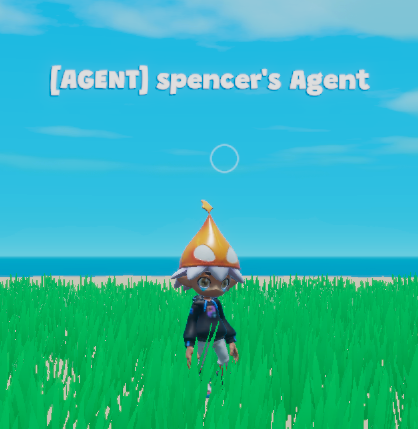
Then, simple scan the agent to bring up the config.
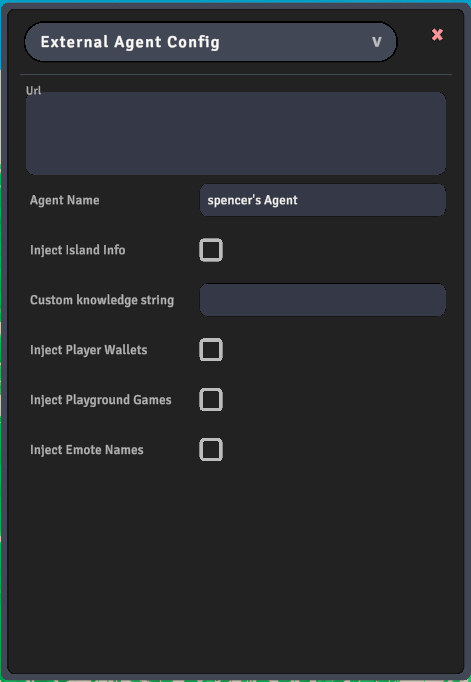
Here, input the URL that points to the agent's backend. This will receive a POST request every time a user interacts with it.
Also configure the agent name, and any information you'd like injected into the agent at first user interaction.
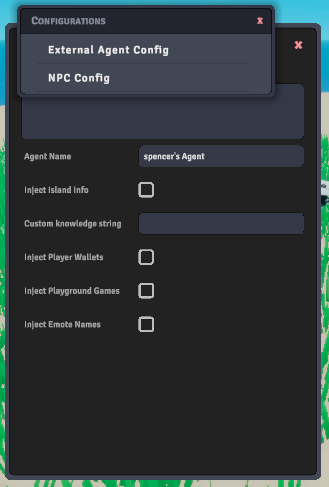
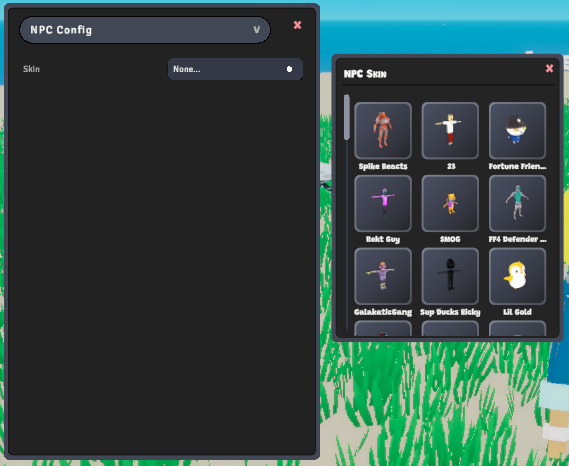
Optionally, click the External Agent Config dropdown and navigate to the NPC config. Here, you can set the skin of the NPC, choosing from your library of avatars.
Platform Agents
Platform agents require no configuration. Simply place one down and talk with it!